Free WiFi In London For Tourists | 20 Spots At Airports, Underground & Museums
Find free WiFi in London for tourists at 20 key spots across airports, Underground stations, and major museums, with clear tips to connect fast.
Author:James RowleyFeb 13, 202633K Shares478.6K Views
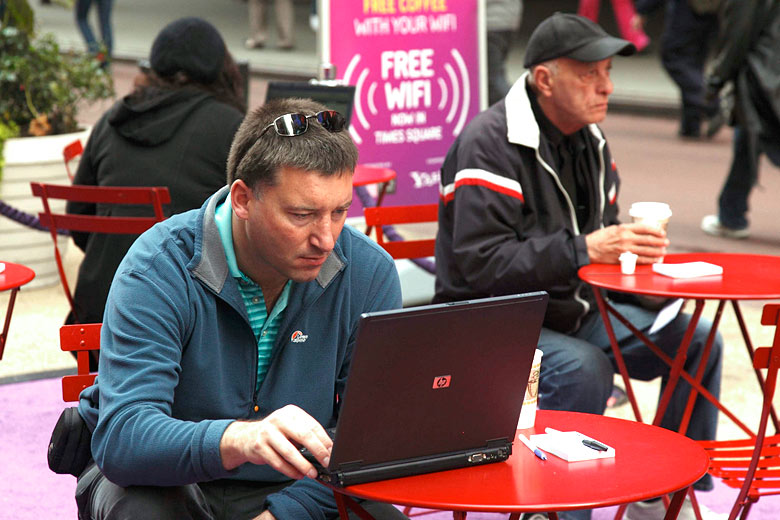
Where To Get Free WiFi In London As A Tourist
Landing in Londonwith your phone in airplane mode is a special kind of stress: maps won’t load, tickets won’t refresh, and even sending “I’m here” turns into a mini project.
And if you switch roaming back on, the charges can pile up fast, often £10-£15 for just a short burst of data. Over a week, that’s enough to fund another full day of sightseeing.
The good news? London is one of the world’s most connected cities, with free WiFi available in over 250 Underground stations, major museums, cafés, and even royal parks.
This guide maps 20 reliable, tourist-friendly WiFi spots across the city, organized around how people actually travel: arrivals, transport connections, museum days, café breaks, and emergency “reset points.”
Airports
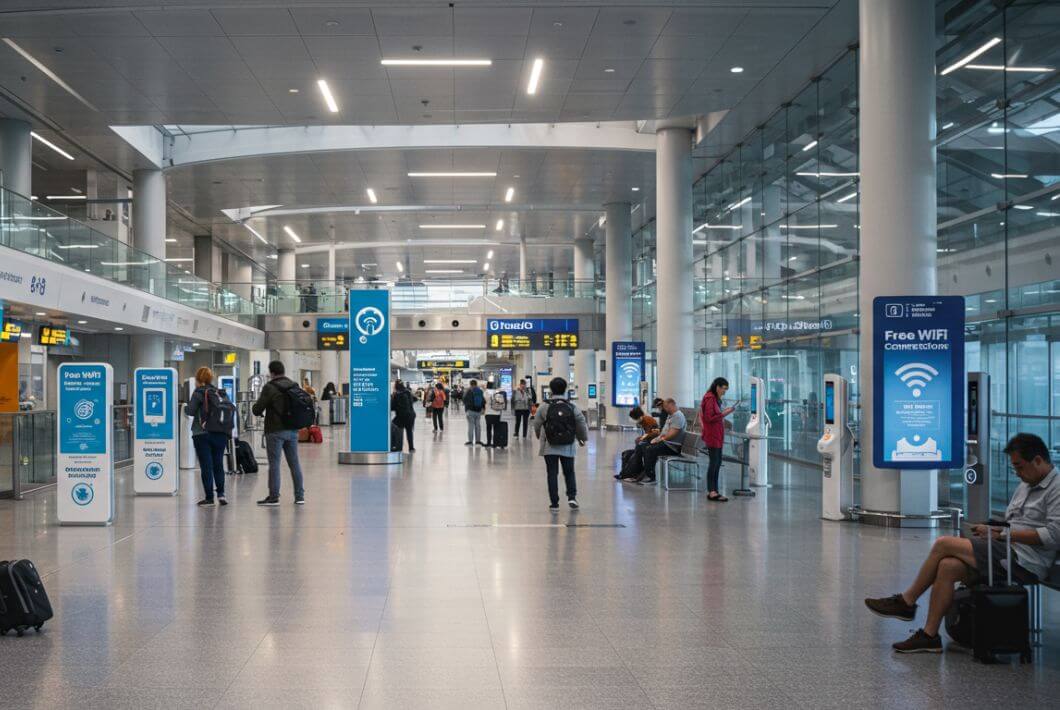
Airports are your easiest win for getting online. Before you head into the city, use the terminal WiFi to download offline Google Maps, save boarding passes and attraction QR codes, confirm hotel bookings, screenshot train tickets, and message family that you’ve landed safely. Airport WiFi in London is generally stable, clearly signposted, and designed for high passenger volume, making it one of the most reliable places for free WiFi in London for tourists.
1. Heathrow Airport
Location: Hounslow, West London
As the UK’s busiest international gateway, Heathrow provides WiFi access throughout all terminals. The network is clearly branded, and connection typically involves selecting the official airport network and completing a short sign-in process. Because of the airport’s size and passenger flow, coverage is designed to work across departure lounges, arrival halls, and baggage claim areas.
For tourists, Heathrow is the ideal place to handle essential downloads before leaving the terminal. This is where you should secure offline maps, confirm public transport routes into Central London, and re-check digital tickets. If you experience connection issues, Heathrow’s official WiFi FAQs are the best place to verify current terms and troubleshooting guidance, as policies and speeds can change over time.
2. London Gatwick Airport
Location: West Sussex, south of Central London
Gatwick states that WiFi is available throughout both terminals, including seating areas, restaurants, and gate zones. The network name and sign-up steps are clearly provided on the airport’s official site, and access is generally straightforward for international visitors.
Because Gatwick serves many short-haul European flights, it can get busy during peak hours. For a smoother experience, connect while seated near your gate or inside cafés where the signal is often more stable. This is also a good moment to check National Rail train times, download e-tickets, or review directions to your accommodation. Airport WiFi here works best as a “prepare and go” tool rather than a long streaming session.
3. London City Airport
Location: Royal Docks, East London
London City Airport offers unlimited WiFi throughout its single terminal. Because it is smaller and primarily serves business routes, connectivity can feel faster and less congested compared to larger hubs.
For tourists arriving here, you’re already relatively close to Central London. That makes this a perfect place to check Docklands Light Railway (DLR) routes, activate contactless payment apps, or download event tickets before stepping onto public transport. Smaller airport layouts also make it easier to find charging points alongside WiFi access, allowing you to reset both your battery and your connection in one stop.
London Underground & Transport

This is how tourists realistically use free WiFi in London, for tourists not for streaming movies underground, but for quick connection bursts at stations. Think 2-5 minutes to reload Google Maps, check the next stop, refresh train times, download attraction tickets, or send a “running 10 minutes late” message.
4. London Underground Station WiFi Network
Location: London Underground station
TfL’s station WiFi network operates within participating Underground stations, allowing passengers to access public WiFi before boarding or after stepping off trains. The login process usually involves selecting the official station network and completing a brief sign-in via a captive portal.
For visitors using the London transport system, this network is best used strategically. Reload your route planner before boarding, double-check Oyster/contactless payment updates, or screenshot platform information for offline access. Because platform WiFi in London can slow down during rush hour, avoid peak commuter windows (roughly 7:30-9:30am and 4:30-6:30pm) if you need a stable connection for ticket downloads or travel updates.
5. Westminster Underground Station
Location: Westminster, Central London
If you’re visiting Big Ben, the Houses of Parliament, Westminster Abbey, or walking along the Thames, this station becomes one of your most useful WiFi checkpoints. It sits in the heart of major London tourist attractions, making it ideal for mid-day route resets.
Because it forms part of the TfL station WiFi footprint, you can log in while inside the ticket hall or on the platform before heading back out. This is a smart place to refresh walking directions, check river cruise schedules, or confirm timed-entry tickets. Given the heavy tourist footfall, expect occasional portal delays. Patience helps during peak sightseeing hours.
6. King’s Cross St Pancras Underground Station
Location: King’s Cross, North Central London
One of the biggest transport hubs in the city, this station connects six underground lines and sits next to major rail terminals. For tourists transferring between local trains, long-distance rail, or even Eurostar connections, it’s one of the best places to pause and reconnect.
Because of its size and infrastructure upgrades, it’s a practical location to reload digital boarding passes, check National Rail schedules, or download updated Tube maps. The surrounding area also offers cafés and seating areas that can provide a stronger signal if the underground platform feels crowded. Treat this station as a full reset hub rather than a quick glance stop.
7. Oxford Circus Underground Station
Location: Oxford Street, Central London
Oxford Circus is a classic London crossroads where shopping, dining, and multiple Tube lines intersect. That also means it’s extremely busy. During peak times, the station's WiFi captive portal may take longer to load due to high passenger demand.
For many visitors using the London Underground, this station becomes a quick reset point between lines. If you need reliable internet access here, step slightly away from the busiest stairways or ticket barriers before connecting. Use this moment to recheck restaurant reservations, access mobile payment apps, or refresh Google Maps before walking toward Soho, Regent Street, or Carnaby. In high-density stations like this, short bursts of browsing work better than extended sessions.
8. London Paddington Station
Location: Paddington, West London
Paddington serves long-distance trains, the Elizabeth line, and Heathrow connections. Network Rail has confirmed free WiFi availability as part of major-station upgrades, making it one of the more reliable mainline rail WiFi points in London.
For tourists arriving from Heathrow or heading west toward Windsor or Bath, this station is a logical moment to download tickets, confirm onward travel, or check hotel details. Because it’s a large surface station (not fully underground), the mobile signal can also be stronger here compared to deep Tube stations.
9. London Victoria Station
Location: Victoria, Central London
Victoria functions as a major interchange between National Rail services, Gatwick Express, coaches, and the Underground. When you’re transferring between airport trains and Tube lines, this is a sensible place to attempt a quick WiFi reconnection before moving on.
Network names and availability can vary, so always check official signage inside the station. If the station WiFi feels overloaded, nearby cafés inside the concourse often provide alternative public WiFi access. As a transport hub, Victoria works best as a fast route-refresh checkpoint rather than a long browsing session.
10. St Pancras International
Location: King’s Cross, London
Located within the King’s Cross/St Pancras complex, this international rail station provides free WiFi and even publishes its SSID for clarity. It’s particularly useful for travelers heading to continental Europe or arriving via high-speed rail.
Because the station has seating areas, restaurants, and clearer signage, it’s a comfortable place to handle longer online tasks such as uploading travel documents, rebooking tickets, or checking accommodation details. Compared to underground platforms, mainline rail stations like this generally offer a more stable environment for free public WiFi in London.
Museums & Attractions

Museums are underrated connectivity “bases” for tourists in London. Unlike cafés or busy streets, they offer indoor seating, reliable power outlets, and longer dwell times, making them perfect spots to check maps, refresh travel apps, or upload photos. Many major institutions now openly provide free WiFi in London for tourists, allowing you to plan your day without worrying about roaming fees or unreliable mobile data.
Below are some of the best museum and attraction WiFi spots where visitors can connect while exploring London’s top sights.
11. British Museum
Location: Bloomsbury, Central London
The British Museum offers free WiFi across key visitor areas. While exact SSIDs and login flows may vary, on-site signage and staff guidance make connecting straightforward. For tourists, this museum serves as a reliable indoor hub to download offline maps, check walking routes to nearby landmarks, or review entry times for other attractions.
Because it is a high-traffic institution, expect slightly slower speeds during peak visiting hours, but the consistent indoor coverage makes it ideal for longer planning sessions. Always refer to the British Museum’s official site for up-to-date visitor info and WiFi guidance.
12. Tate Modern
Location: Bankside, Central London
Tate Modern explicitly supports visitors downloading the Tate app while connected to its free WiFi, providing one of the clearest confirmations of reliable connectivity in a major London attraction. This is especially useful for tourists who want to access exhibition guides, interactive maps, or digital tickets.
The museum’s open-plan galleries and seating areas allow visitors to pause comfortably while connecting, making it an excellent “connect-and-explore” spot. Tate Modern’s free WiFi coverage also supports photo uploads to social media or cloud storage perfect for keeping travel memories safe while wandering South Bank.
13. National Gallery
Location: Trafalgar Square, Central London
The National Gallery has publicly announced the introduction of free WiFi, making it a reliable connectivity option for tourists exploring central London. Visitors can use the network to check directions, confirm museum entry slots, or refresh travel apps.
Because it sits in a highly visited area with heavy pedestrian traffic, connecting inside the gallery is preferable to outdoor areas. Use this WiFi as a “long-form reset” for your day, combining both planning and sightseeing in one stop. Official gallery visit-planning materials provide the current network name and login instructions.
14. Science Museum
Location: South Kensington, Central London
The Science Museum offers free WiFi that is accessible throughout its main galleries and visitor spaces. For families or tourists on tight schedules, this is a great place to update travel apps, review event schedules, or download exhibition guides.
Because South Kensington hosts several high-traffic attractions nearby, the museum’s WiFi can also serve as a “connective hub” between stops. Visitors benefit from stable indoor coverage and seating areas where devices can be safely charged, making it a dependable tourist-friendly option.
15. Natural History Museum
Location: South Kensington, Central London
The Natural History Museum provides free WiFi in its main visitor areas, confirmed via in-building signage and official visitor guidance. Tourists can use it to upload photos, plan their next stops, or refresh ticketed entry times.
With spacious galleries and plenty of indoor seating, it’s a great spot for longer sessions to recharge both your devices and yourself. Always check the official museum website or on-site signage for the correct SSID and access instructions. While you’re mapping out your day, you might also want to explore the top museums in Londonto make the most of your visit and stay connected throughout the city.
Shopping Centers

Shopping centers are ideal for tourists seeking free WiFi in London for tourists because they are designed for people to linger. Wide seating areas, indoor coverage, and help desks make it easy to connect, whether you need to check directions, refresh travel apps, or upload photos mid-shopping. These managed environments often provide the most predictable connectivity outside transport hubs and museums.
16. Westfield London
Location: Shepherd’s Bush / White City, West London
Westfield London offers a dedicated free Wi-Fi service across its retail and dining zones. Visitors can access the network by selecting the official SSID and completing a short registration process, while Guest Services are available to assist if you encounter login issues.
For tourists, this is a convenient spot to pause and refresh your maps, check the next Tube connection, or confirm restaurant bookings in the mall. The combination of indoor seating and consistent coverage makes Westfield perfect for both short “connect-and-go” bursts and longer browsing sessions. It’s especially useful when carrying shopping bags, you can safely sit, recharge your devices, and stay online without interruption.
17. Covent Garden
Location: The Piazza / Market Building area, Central London
Covent Gardenprovides a managed WiFi registration page, signaling a reliable and official connectivity service for visitors. Tourists can log in quickly and use the network to check live showtimes, restaurant reservations, or directions to nearby attractions.
Because Covent Garden is a high-footfall area with both indoor and semi-outdoor spaces, the official network ensures smoother connectivity than ad-hoc café hotspots. Use it to coordinate with friends, refresh apps, or even upload photos of street performances all while enjoying the vibrant market atmosphere.
Cafés & Fast Food Chains

For tourists, cafés and fast food chains are the go-to solution for free WiFi in London for tourists. These locations are practically everywhere, making them perfect for quick breaks, refreshing maps, translating menus, or recharging your phone before continuing your sightseeing. Unlike public streets or crowded Tube platforms, chains offer stable indoor internet access and a chance to pause comfortably.
18. Starbucks UK
Location: Various UK locations across London
Starbucks has long positioned WiFi as part of the in-store experience, offering free access in most locations. Tourists can use the network to reload Google Maps, check transport schedules, or upload travel photos while enjoying a coffee break. Policies can vary slightly by store type; licensed outlets may have different connectivity, but the official Starbucks Wi-Fi portal provides clear guidance for login.
Because Starbucks locations are widespread in London, they serve as a reliable “connect-and-go” option between attractions. Indoor seating, electrical outlets, and predictable signal strength make it easier to use public WiFi safely without the stress of roaming charges. For those exploring the city’s vibrant café scene, check out our guide to the best cafes in Londonfor both connectivity and atmosphere.
19. McDonald’s UK
Location: Various London restaurants
McDonald’s UK explicitly lists free WiFi as part of its in-restaurant services. Visitors can use it to check directions, refresh ride-share apps, or quickly access translation tools. The network is generally stable across dining areas, allowing for short online tasks without feeling rushed.
For tourists navigating busy streets or moving between Tube stations, McDonald’s provides a reliable hotspot. Fast food WiFi is especially handy for families or travelers with limited device data, letting you update apps, download tickets, or catch up on messages before continuing your day. While you’re planning where to eat next, you might also want to check out the best restaurants in Londonfor memorable meals across the city.
20. Pret A Manger UK
Location: Many city locations across London
Pret A Manger offers free WiFi through a captive portal system, signaling a secure and managed connection for visitors. Tourists can use it to plan their next destination, check café reviews, or update social media with photos of London streets. Always follow the official login instructions to ensure a smooth and safe connection.
Because Pret outlets are widely distributed, they are an excellent “anywhere, anytime” connectivity option. The combination of indoor seating, fast service, and accessible WiFi makes Pret a dependable choice for travelers needing quick, reliable internet on the go.
How To Connect To Public WiFi In London
Follow this simple routine to use free WiFi in London for tourists at airports, Tube stations, museums, shopping centers, and cafés quickly and safely.
Step 1: Select The Official Network
Open your device’s WiFi settings and choose the venue’s official network name. Look for signage, digital screens, or help cards showing the correct SSID. Connecting to the right network avoids delays and reduces the risk of accidentally joining unsecured lookalike hotspots.
Step 2: Turn Off Auto-Join For Unknown Networks
Disable auto-join for unknown WiFi networks. This prevents your device from automatically connecting to random or insecure signals later, keeping your connection safe and reliable.
Step 3: Open A Browser Or App
Launch a web browser or any app that triggers the captive portal. Many London public WiFi networks (airports, stations, cafés) require this step to load the login page.
Step 4: Complete The Captive Portal
Fill in the required details, usually an email address or basic info, and agree to the terms of service. Some locations, like Gatwick Airport, explicitly mention providing brief details. This step ensures secure access to the network.
Step 5: Do A Quick “Download Burst”
While connected, refresh Google Maps for your current area, download tickets or confirmations, and check the next two stops on your itinerary. This allows you to continue offline if you move out of WiFi range.
Pro Tip:Repeat this 60-second routine at each major checkpoint airport, Tube station, museum, shopping center, or café to stay connected efficiently and avoid wasting mobile data.
Common Public WiFi Issues In London
Even with the best free WiFi in London for tourists, minor problems can slow you down. Here are the most common issues and quick solutions to keep you connected while exploring the city.
1. Captive Portal Won’t Appear
If the login page doesn’t automatically pop up, try turning WiFi off and back on, then open a browser again. This often resets the connection and triggers the captive portal, allowing you to log in quickly.
2. Busy Station Or Slow Login
During peak commuting times, Tube stations and transport hubs can have slow connections. Transport for London (TfL) notes that login and page loads may take longer when crowds are high. The fix: connect a few minutes early while on the platform or in the ticket hall, and be patient with the initial login.
3. Lost Connection In Tunnels
If you connect on a Tube platform but lose signal while traveling underground, don’t worry, this is normal. WiFi coverage is designed for stations, not tunnels, so plan to refresh apps or maps when you return to a platform or station concourse.
Tips To Use Public WiFi Safely In London

Using free WiFi in London for tourists is convenient, but public networks can be less secure than private connections. Follow these tips to protect your data and make your online time efficient while exploring the city.
1. Stick To Official Networks
Always connect to the network advertised by the venue, whether it’s an airport, Tube station, museum, café, or shopping center. Official networks reduce the risk of connecting to rogue or lookalike hotspots that could compromise your personal information.
2. Use A VPN For Extra Security
A VPN (Virtual Private Network) encrypts your internet traffic. Even on trusted public WiFi, using a VPN keeps passwords, travel confirmations, and payment details safe from prying eyes.
3. Avoid Sensitive Transactions
If possible, wait until you have a secure connection to log into banking apps or make online payments. Public WiFi is ideal for maps, tickets, or checking emails, but sensitive data is safer on mobile data or trusted networks.
4. Turn Off Auto-Connect
Prevent your device from automatically joining unknown networks. This avoids accidental connections to unsecured hotspots and ensures you’re only using reliable public WiFi in London.
5. Download Essentials In Advance
Whenever possible, download maps, tickets, or guides while connected. Even if you lose WiFi later on the Tube or street, you’ll have offline access saving time and reducing stress while navigating London.
6. Log Out When Done
After completing your tasks, log out of captive portals and disconnect from the network. This helps prevent accidental reconnections and keeps your device secure while you're on the move around the city.
SIM Cards & ESIM Alternatives
Free WiFi is perfect for short bursts, but it can’t always handle constant navigation, real-time ride-hailing, uploading photos, or work messages. For tourists who rely on uninterrupted connectivity, a UK SIM card or eSIM may be the smarter (and sometimes cheaper) choice.
How To Decide What Works For You
- Short city break (1-3 days) with light usage: Free WiFi combined with offline maps is often sufficient. You can check attractions, refresh tickets, and upload a few photos without paying for mobile data.
- Week-long trip with heavy map use and bookings: Consider purchasing a UK SIM or activating an eSIM. This keeps you connected at all times, removing the need to hunt for WiFi in stations, cafés, or shopping centers.
- Day trips outside central London: Mobile data becomes more valuable when traveling between Tube stations, parks, and attractions. Relying solely on free WiFi can interrupt navigation or app-based tickets during long excursions.
Tip:Staying connected on the go isn’t just for maps and tickets, it’s also useful if you want to check gaming tips or look up a deadlock tier listwhile enjoying a coffee break or waiting for transport.
People Also Ask
Can I Use WiFi While Riding The Tube?
WiFi is available only on platforms and in ticket halls. Coverage inside tunnels is not available, so plan to refresh maps, tickets, or apps while you wait at stations.
How Do I Connect Quickly To Public WiFi In London?
Follow this simple routine:
- Select the official network (SSID).
- Turn off auto-join for unknown networks.
- Open a browser or app to trigger the captive portal.
- Complete the login form.
- Download maps, tickets, or confirmations before leaving the hotspot.
Where Can I Get Free WiFi Near Big Ben?
Your best nearby options are Westminster Underground station WiFi (for quick bursts) and nearby cafés for longer sessions.
What Is The Best SIM Card For Travellers To UK?
- Vodafone UK: Pay-as-you-go and prepaid SIM cards. ...
- Three: UK SIM for EU roaming. ...
- O2: UK prepaid SIM card for tourists with data rollover. ...
- EE Mobile: UK SIMs with guaranteed internet speed. ...
- Giffgaff SIM: Budget-friendly UK SIMs for tourists. ...
- Lyca Mobile: Flexible UK prepaid SIM cards.
Final Thoughts
Staying connected in London doesn’t mean risking expensive roaming charges. Reliable free WiFi in London for tourists is widely available in airports, Underground stations, museums, cafés, and public spaces, making it easy to check maps, reload tickets, and message friends without extra costs.
Plan simple WiFi “reset points” into your day and download essentials in advance so you’re never stuck offline when you need directions. With a little preparation, you can focus on enjoying the city and use this guide whenever you need a quick connection boost.
Jump to
Where To Get Free WiFi In London As A Tourist
Airports
London Underground & Transport
Museums & Attractions
Shopping Centers
Cafés & Fast Food Chains
How To Connect To Public WiFi In London
Common Public WiFi Issues In London
Tips To Use Public WiFi Safely In London
SIM Cards & ESIM Alternatives
People Also Ask
Final Thoughts

James Rowley
Author
James Rowley is a London-based writer and researcher covering London life, cultural geography, London travel, live London webcam pages and selected public figures across entertainment, sport, business and public life.
For over 15 years, he has focused on verified sources, first-hand local context and clear explanations that help readers understand both places and people more deeply. His work combines street-level London knowledge with careful research into career credits, media work, business interests and, where relevant, transparently explained net worth estimates.
He writes and reviews articles published on LondonWebcam.
Latest Articles
Popular Articles